

Usage & Monitoring
Keep track of your API credits, asynchronous task statuses, and easily export billing logs with intuitive data charts.
The CoffeeRouter Console provides full-scale transparency over all your API calls and bills, leaving no room for unexpected spending.
Core Features
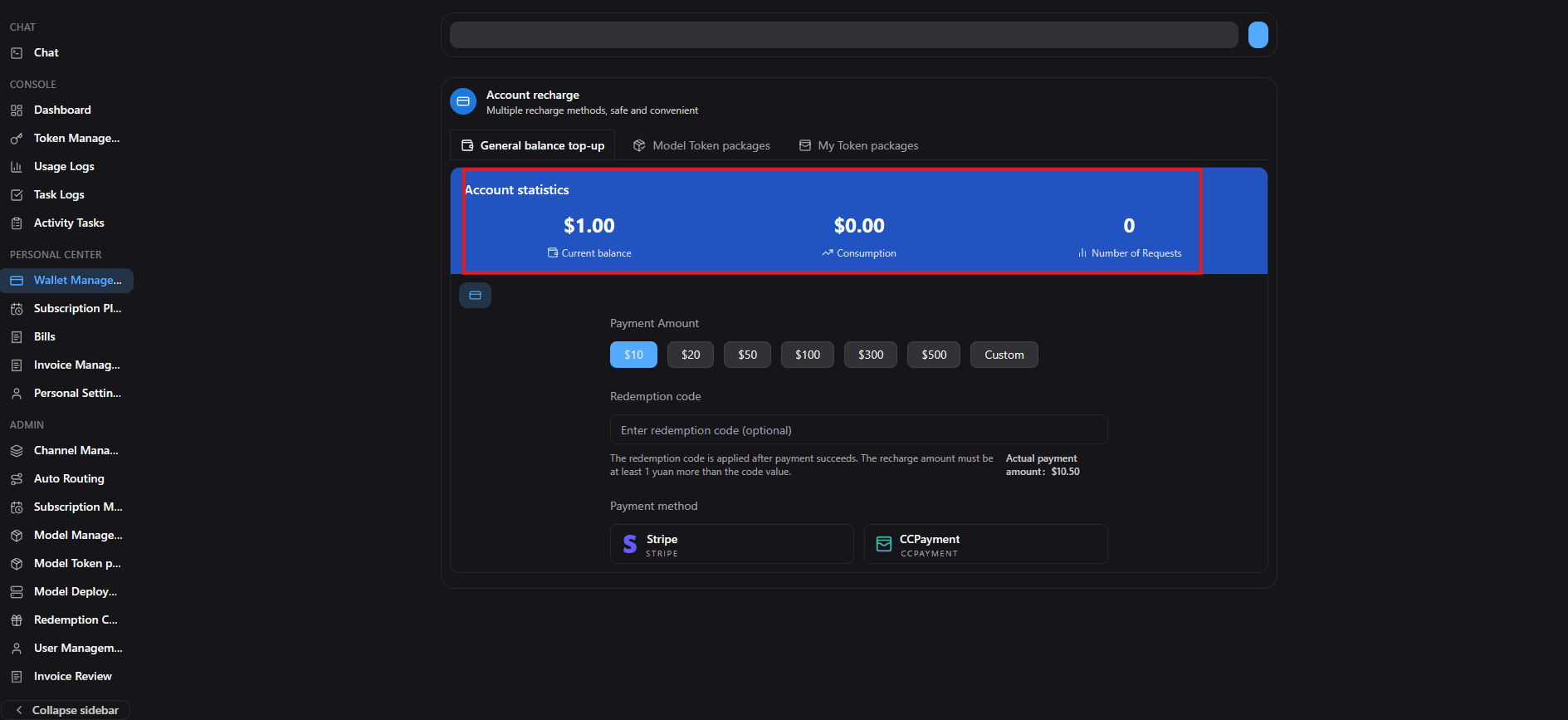
1. Credits Balance
On the console Top-up | Billing page, you can check your Credits Balance in real time. This helps you stay aware of your quota during integration and development.
2. Usage Logs
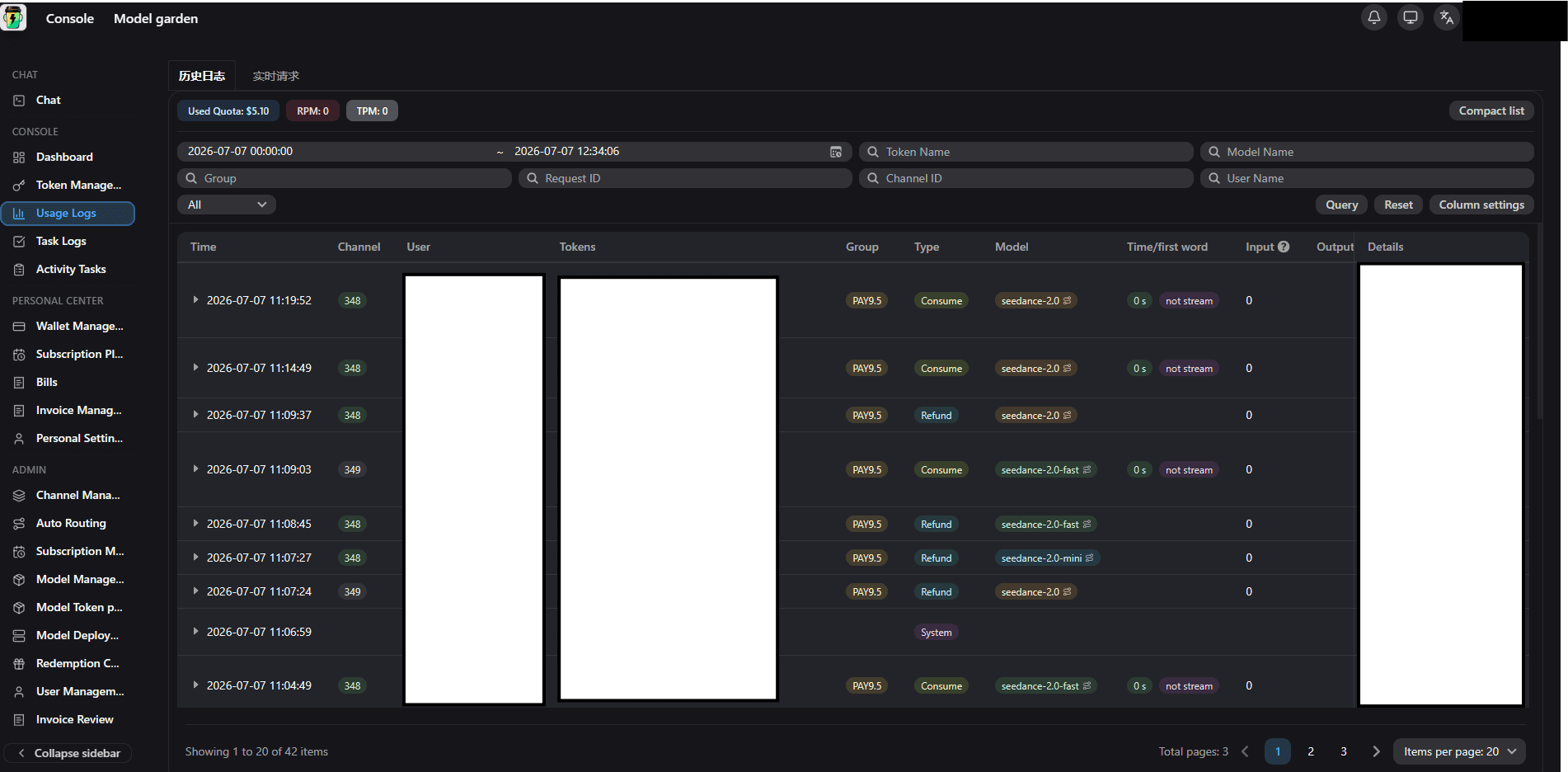
On the Usage Logs page, you can monitor your API traffic in real time. The system charts call volume, token usage, and credit spent, while offering filters by model, API key, and time range.
3. Task Logs
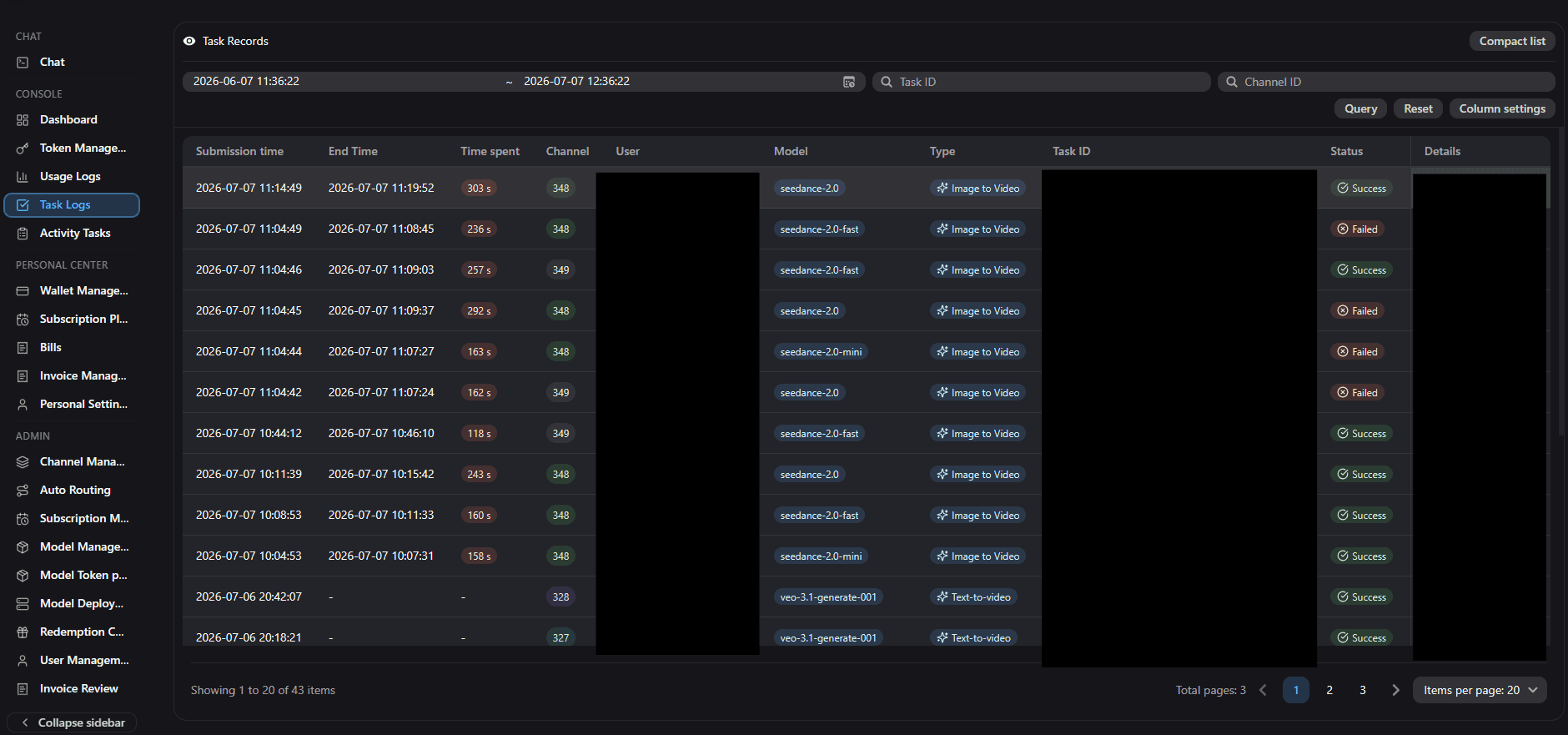
For long-running asynchronous jobs such as video generation, you can monitor submission time, elapsed time, task status, and preview generated outputs in Task Logs.
4. Download Center
If you need offline auditing or financial reporting, click Export on a query result. All generated reports are consolidated on the Download Center page for one-click download.
Download center/placeholders/docs/guide/download-center.png